Common Mistakes When Creating Tactile Graphics with Swell Paper
Creating tactile graphics with swell paper is fast and effective, but small mistakes in design or preparation can impact the quality of the final result.
By understanding these common issues, educators and organizations can produce clearer, more effective tactile graphics for blind and visually impaired users.
Using Lines That Are Too Thin
One of the most common mistakes is using lines or details that are too thin.
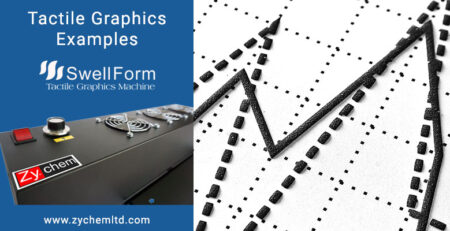
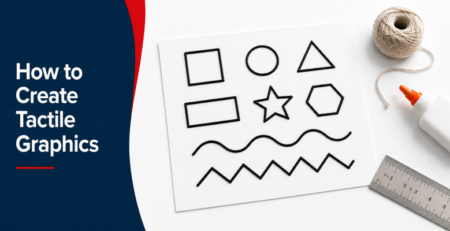
Swell paper relies on black ink absorbing heat to create raised surfaces. If lines or details are too fine, they may not swell enough to be easily felt. Using bold, well-defined lines improves readability and ensures the graphic can be clearly interpreted through touch.
Not Using Solid Black Ink
Swell paper works best with strong, solid black ink.
Light gray tones or inconsistent printing can result in uneven or weak swelling. For best results, designs should use deep black areas to ensure consistent heat absorption.
When using Swell Touch paper, this becomes especially important for achieving clear and reliable tactile graphics.
Overcomplicating the Design
Including too much detail can make tactile graphics difficult to understand.
Unlike visual graphics, tactile graphics must be simplified so that key elements can be distinguished through touch. Reducing unnecessary detail helps users focus on the most important information.
Poor Spacing Between Elements
Spacing plays a critical role in tactile readability.
If elements are too close together, they can blend when swelled, making it difficult to distinguish shapes or sections. Proper spacing ensures each part of the graphic can be clearly identified.
Skipping the Testing Step
Tactile graphics should always be reviewed after processing.
Running fingers over the graphic helps confirm that lines, shapes, and spacing are clear. This step is essential for ensuring the graphic works as intended.
Incorrect Machine Settings or Handling
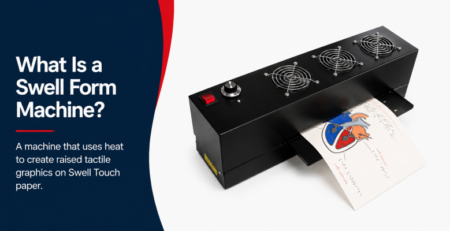
When using a Swell Form machine, improper handling or inconsistent feeding can affect results.
Ensuring the paper passes evenly through the machine and following proper usage guidelines helps maintain consistent quality.
For higher-volume environments, the Swell Form Pro machine provides greater consistency and efficiency.
Conclusion
Swell paper is one of the most efficient ways to create tactile graphics, but attention to detail is essential.
By using proper line thickness, strong black ink, clear spacing, and consistent processing, users can create high-quality tactile graphics that are easy to read and effective for learning.