What Are Tactile Graphics?
Tactile graphics use raised lines, shapes, and textures to communicate information through touch. A raised outline can show the shape of an object, different textures can distinguish areas on a map, and lines and labels can explain relationships in a chart or diagram.
For example, a tactile map can show a room’s layout, a graph can communicate changes in data, and a science diagram can explain the parts of a plant. Braille labels, a key, or an accompanying explanation help readers identify what each element represents.
An effective tactile graphic simplifies the original image to preserve its essential information. It should give readers enough space to distinguish features by touch, with consistent symbols and textures. Simply raising every detail of a visual image does not necessarily make it understandable.
For a complete guide on how tactile graphics are created and used, visit our Tactile Graphics Resources hub.
How to read a tactile graphic
Start with the title or accompanying explanation to understand what the graphic represents. Establish its orientation, then explore the overall layout before examining individual details.
A key can explain the meaning of different lines, symbols, and textures. Braille labels can identify features directly or connect them to a separate explanation. A reader can then follow a route, compare areas, or examine relationships between parts.
For example, a tactile room plan might use a raised outline for the walls, an opening for the doorway, and distinct symbols for furniture. A graph needs clearly distinguishable axes and data lines. The details included should serve the purpose of that particular graphic.
Reading tactile graphics is a learned skill. Familiar objects, simple layouts, and guidance from another person can help someone build confidence before exploring more complex diagrams.
How Are Tactile Graphics Created?
There are several methods used to produce tactile graphics, each suited to different needs.
Swell Paper
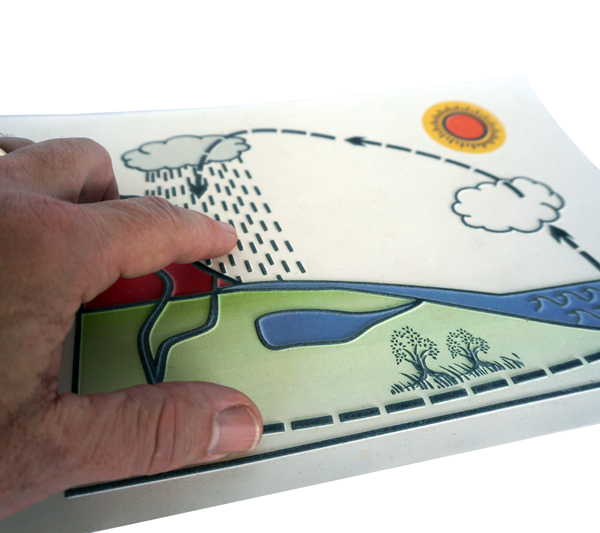
Swell paper is one of the most widely used methods for producing tactile graphics. It uses heat-reactive microcapsule paper that expands when printed with black ink and exposed to heat.
- Fast production
- High detail accuracy
- On-demand creation
- Flexible workflow
Learn more about swell paper.
Braille Embossers / Braille Printers
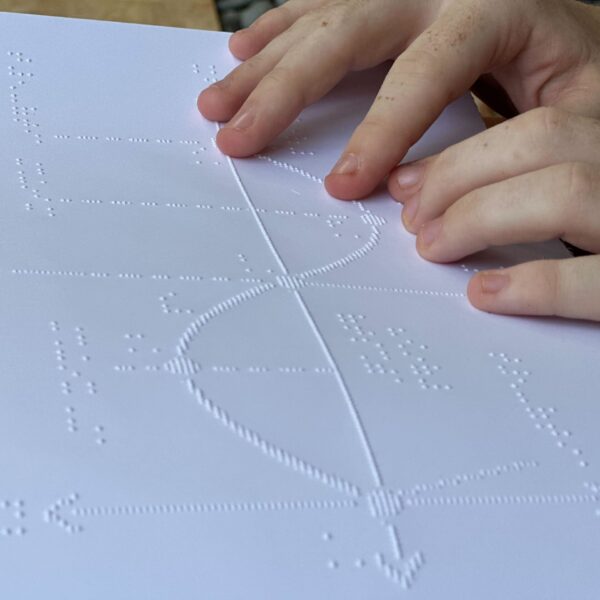
Embossers/printers create braille dots on paper
- Commonly used for braille
- Suitable for simple graphics
- Limited detail
- Interpreting graphics made of braille dots can be hard
Thermoform Machines / Brailon Duplicators
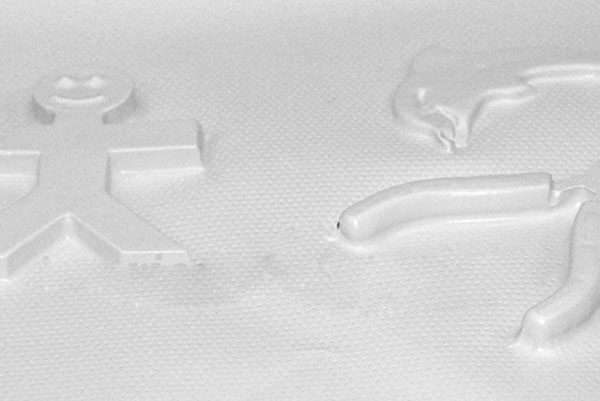
Thermoforming uses heat and masters/molds to create durable tactile graphics.
- Ideal for high-volume production
- Requires masters/molds (the more creative the better!)
- Less flexible
- Graphics are extremely durable
Other Methods for Creating Tactile Graphics
While professional tools like swell paper and swell machines, embossers, and thermoforming are widely used, there are many other ways to create tactile graphics—especially in classroom and DIY settings.
Educators and creators often use simple, hands-on materials such as yarn, glue, sand, cardboard, or textured fabrics to build tactile graphics manually. These approaches can be effective for quick demonstrations, customized lessons, or creative projects where flexibility is important.
The possibilities are virtually endless, and tactile graphics can be adapted using whatever materials are available.
Why Tactile Graphics Are Important
Tactile graphics make visual information accessible through touch, supporting education, navigation, and independence.
They are especially important in:
- Education (STEM, diagrams, maps)
- Orientation and mobility
- Workplace training
- Public accessibility
Designing clear tactile graphics
Begin with the information the reader needs to understand. A useful tactile graphic communicates that information through features that can be distinguished by touch.
- Choose the essential content. Remove decorative backgrounds and details that do not help explain the subject.
- Allow room to explore. Separate lines, symbols, textures, and labels so they do not merge into a confusing surface.
- Use a consistent key. Give each line style, texture, or symbol a clear meaning and use it consistently.
- Simplify complex information. Divide a crowded diagram into an overview and separate detail graphics when needed.
- Check the finished result. Examine the raised output and, where possible, ask the intended reader to try it. Adjust features that are difficult to distinguish.
For formal production guidance, consult the Braille Authority of North America’s Guidelines and Standards for Tactile Graphics.
For machine setup, paper handling, and processing advice, use our Swell Form and Swell Touch equipment guide.
Choosing the Right Method
Different methods serve different needs:
- Swell paper: Fast, detailed, and flexible—ideal for classroom use and on-demand tactile graphics
- Embossing: Best for braille and precise tactile text applications
- Thermoforming: The EZ-Form is great for high-volume production and durable materials
- Manual / DIY methods: Materials such as yarn, glue, sand, cardboard, or textured surfaces can be used to create custom tactile graphics for demonstrations and creative learning
For many applications, swell paper offers the best balance of speed, detail, and ease of use. However, combining different methods can provide the most effective results depending on the environment and learning objectives.
Zychem and Tactile Graphics
Zychem has been a leader in tactile graphics production since 1991, manufacturing Swell Touch paper and both Swell Form and Swell Form Pro machines in-house.
This allows consistent performance, reliable output, and high-quality tactile graphics production.
To create tactile graphics with swell paper, choose your paper, prepare the design, and process the sheet through a compatible machine.
- Swell Touch paper is Zychem’s swell paper for producing raised graphics. This type of heat-sensitive paper is also known as capsule paper or microcapsule paper.
- Print or photocopy your design using compatible black ink or toner, or draw directly on the paper with Swell Touch markers. Drawing is an alternative to printing—you do not need both.
- Use the Swell Form machine for on-demand tactile graphics, or explore the Swell Form Pro machine for higher-volume production.
If you previously used ZyTex paper or a ZyFuse machine, the current product names are Swell Touch paper and Swell Form machine, respectively. Our ZyTex and ZyFuse naming guide explains the transition.
Read the Swell Touch Paper Users Guide for paper preparation, compatible drawing and printing materials, and processing guidance. For product selection and purchasing assistance, request pricing.
Conclusion
Tactile graphics are essential tools for making information accessible. With multiple production methods available, they can be adapted to different needs and environments.
Swell paper remains one of the most efficient and flexible solutions for producing tactile graphics on demand.